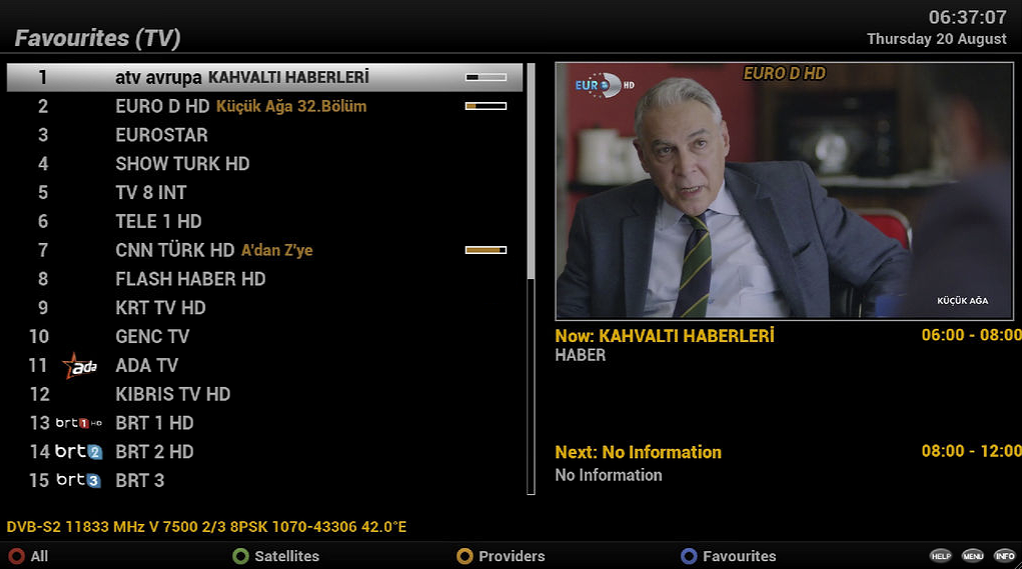
Adding Favourites
In this example I will add ADA TV to favourites.
- While the tv is on a channel playing something press the
Down buttonon the control to bring up the menu.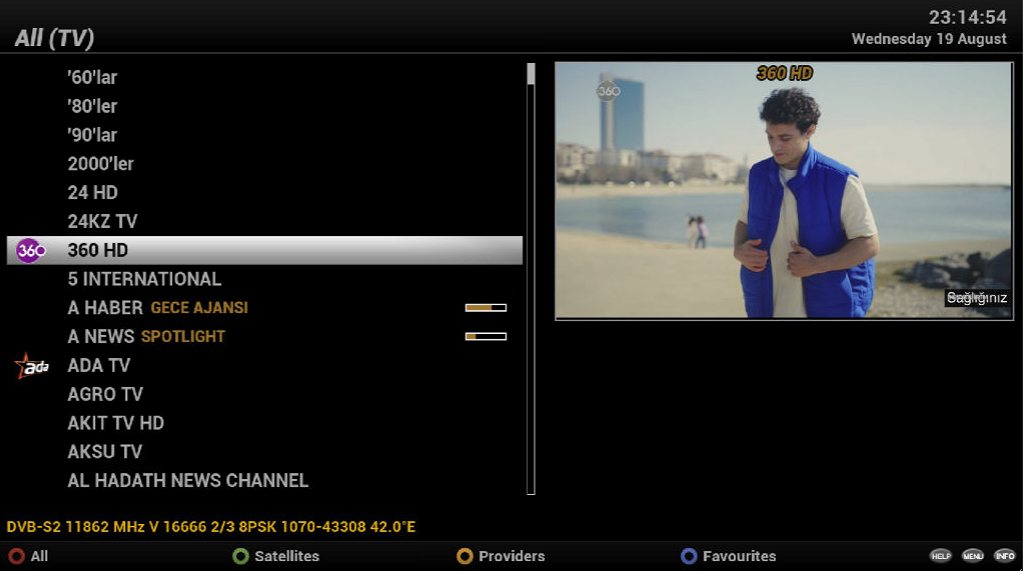
- Press the Green button either says (Single
or Extended). If it
says Single, press the Green button again
and it will
change to
Extended.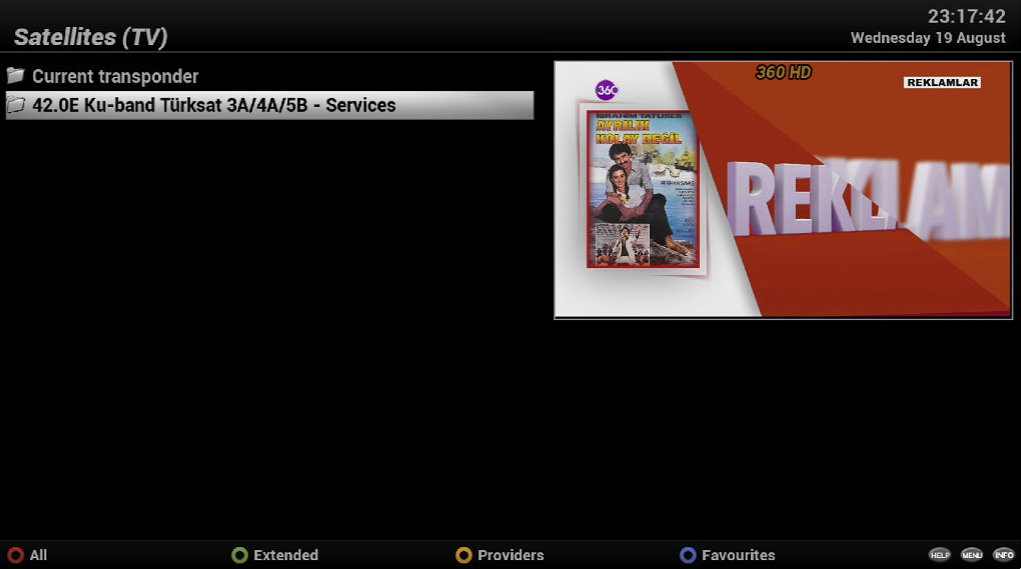
- Select
42.0E Ku-Band Türksat 3A/4A/5B - Services - Press
OK buttonon the control - Find the channel you want to move to favourites.
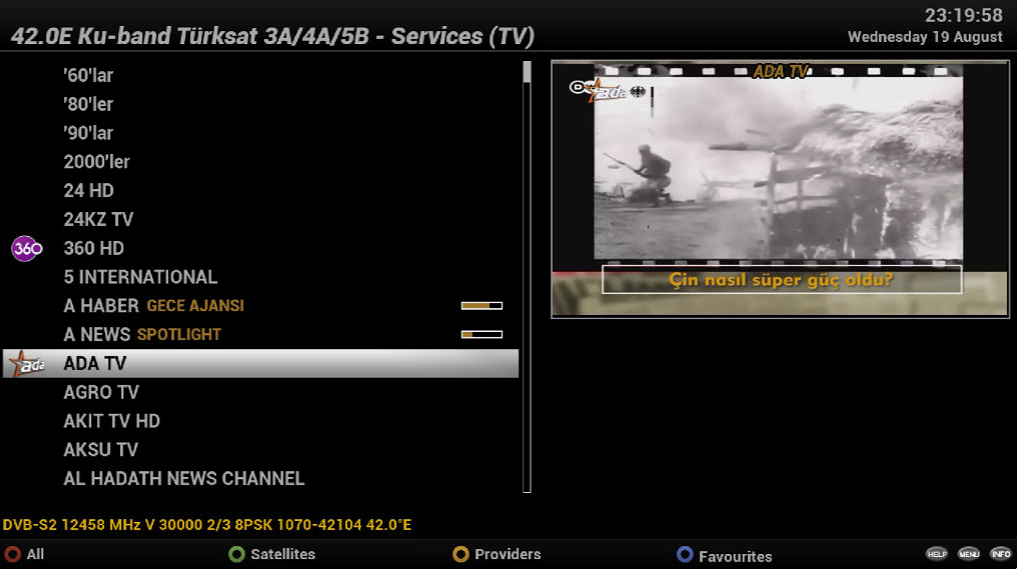
- Press the
OK buttonto select the channel to see if works properly.
- Once confirmed it works properly press the
Down buttonagain to bring up the menu. - It will be automatically selected on the channel you want to move.
- Press
Menu buttonwhile the channel is highlighted -
Select
(7) Add service to bouquetand press theOK buttonor just press7on the contoller.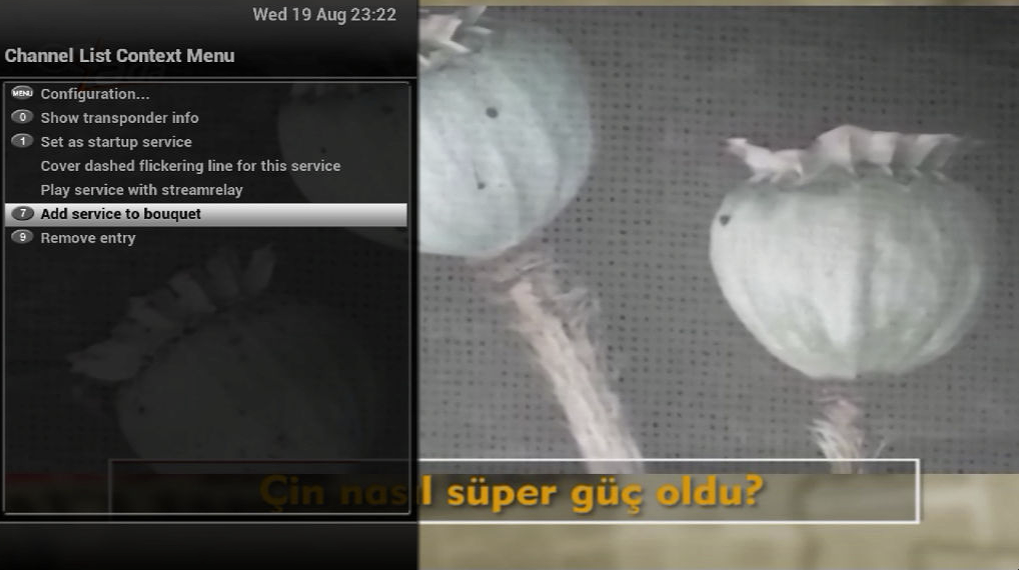
-
Select
Favourites (TV)and press theOK buttonon the controller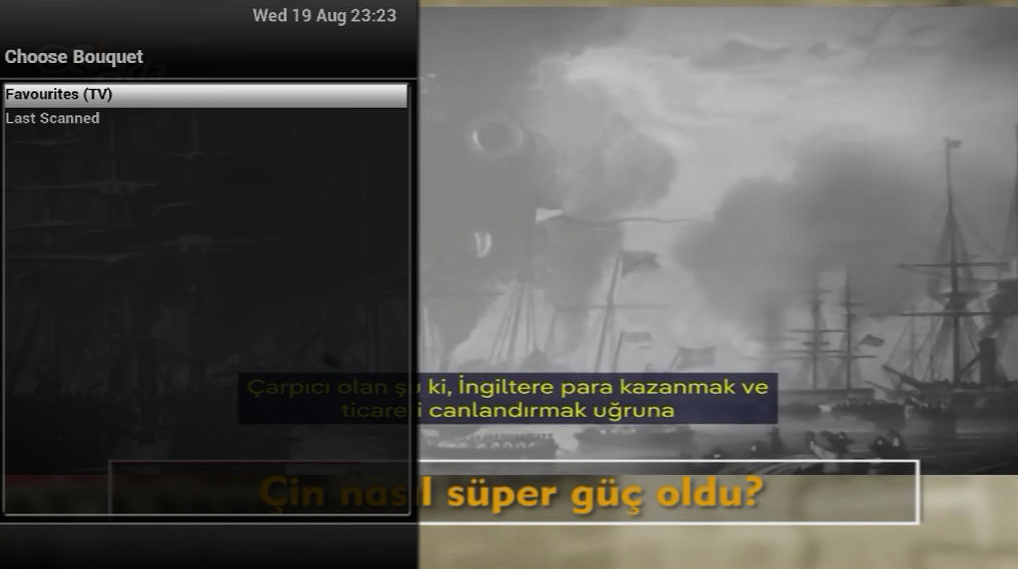
The channel has now been added to the favourites.
Accessing Favourites
To get to favourites while the tv is on a channel playing something press the Down button on the control to bring up
the menu. Then press the Blue button.