Hide Channel Group
- Go to the menu, select the group you want to hide. In this example we will hide News.
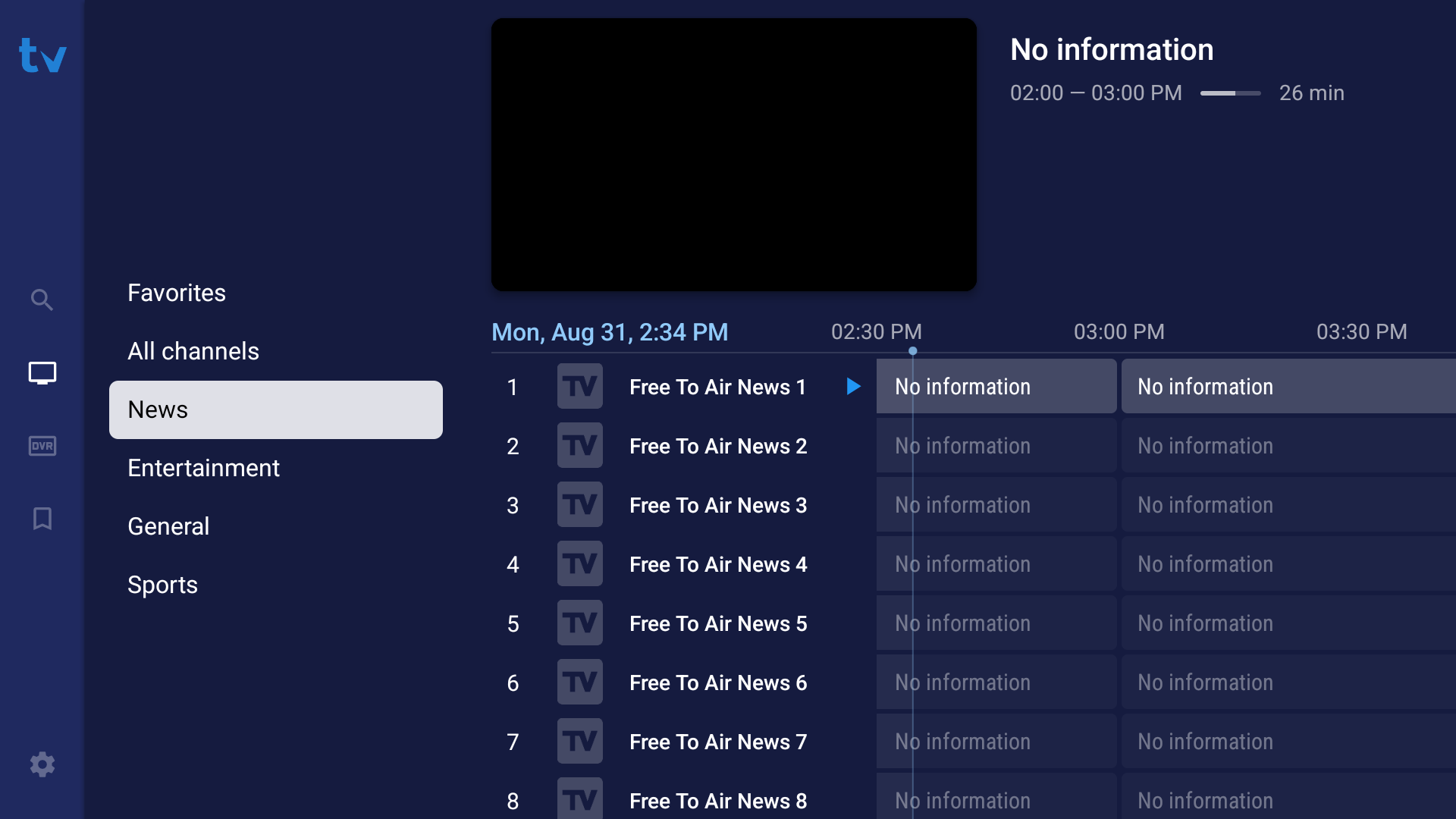
- Press and hold the
OK buttonon your remote control. Scroll down toManage groupsand press theOK button.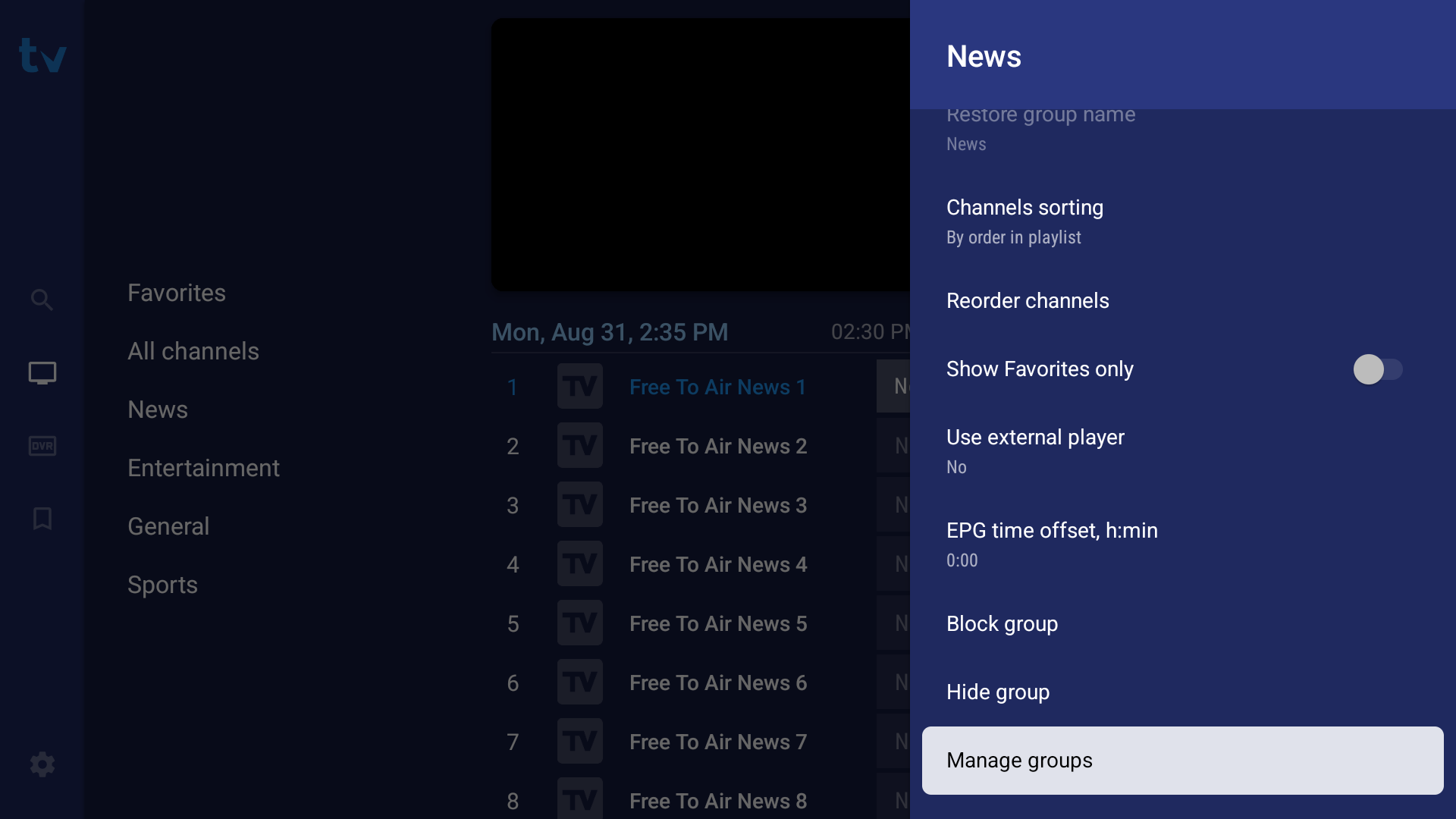
- Scroll down to the Groups and select the one you want to hide and press the
OK butotnto hide it.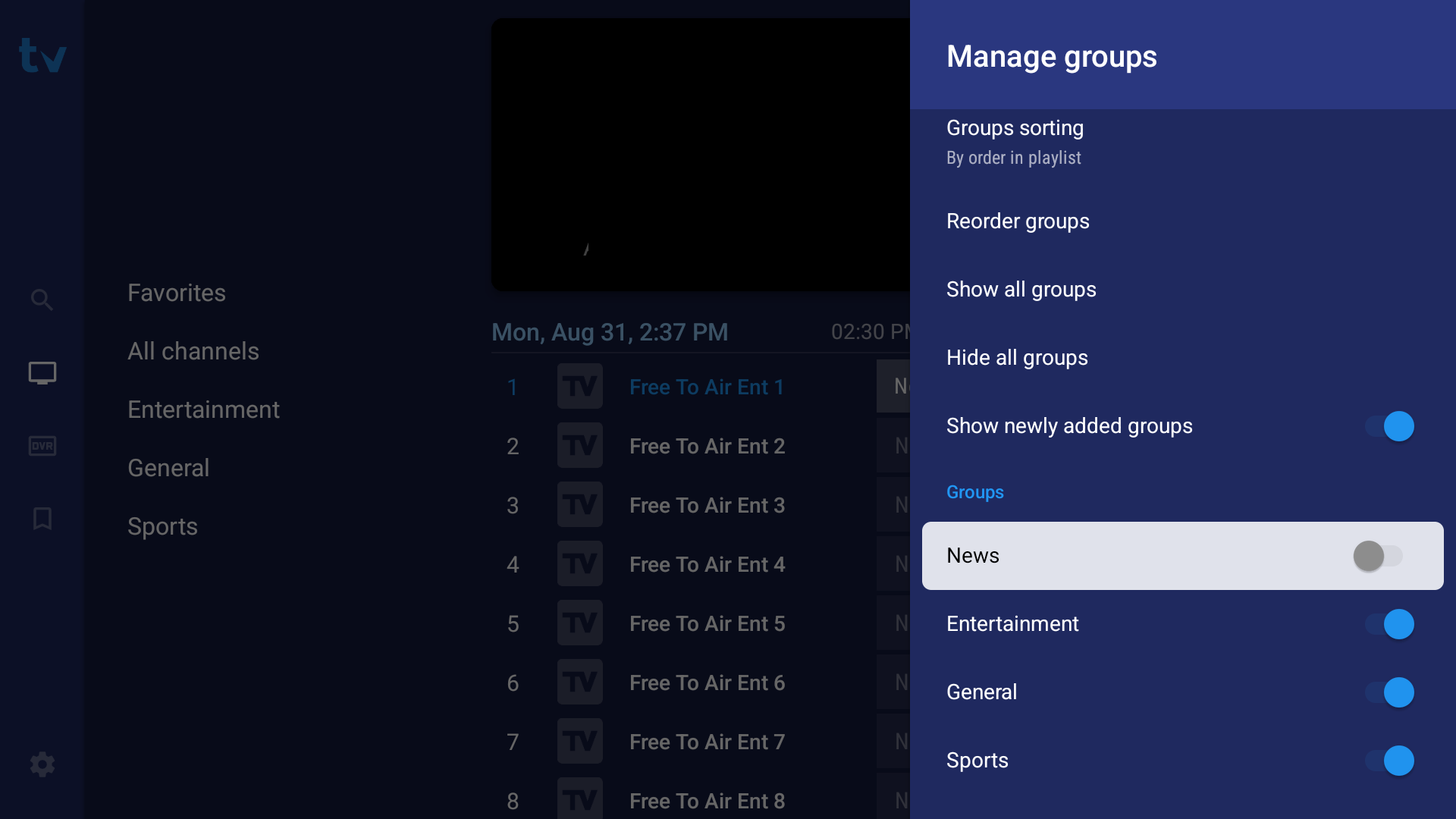
- It auto saves and you can now see the group no longer shows up in the list. You can now exit the menu.