Reorder Channels
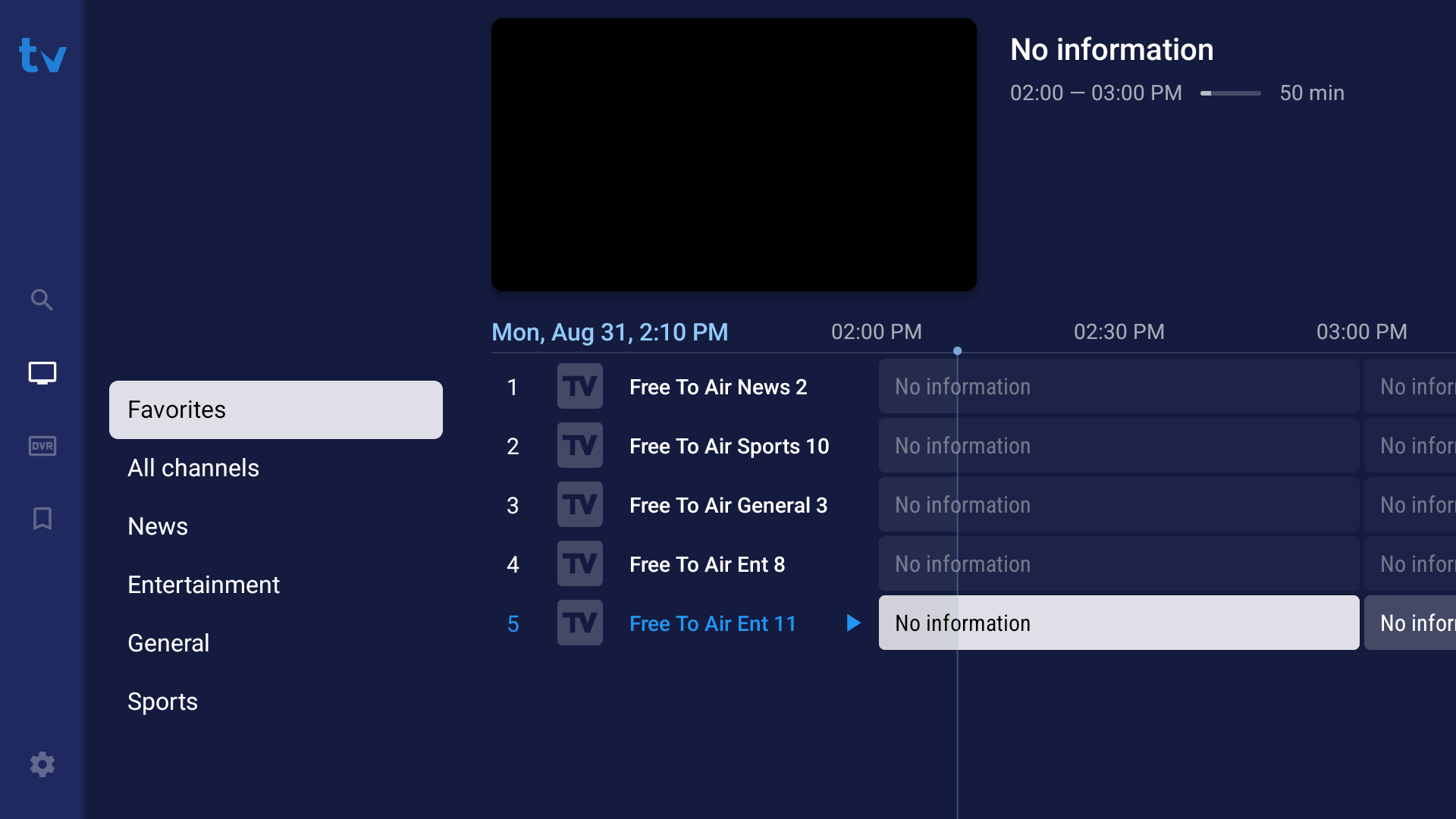
- Open the channel category or your Favorites folder where the channel is located.
- Highlight the specific channel you want to move.
- Long-press the
Select/OK button on your remote to open the sub-menu.
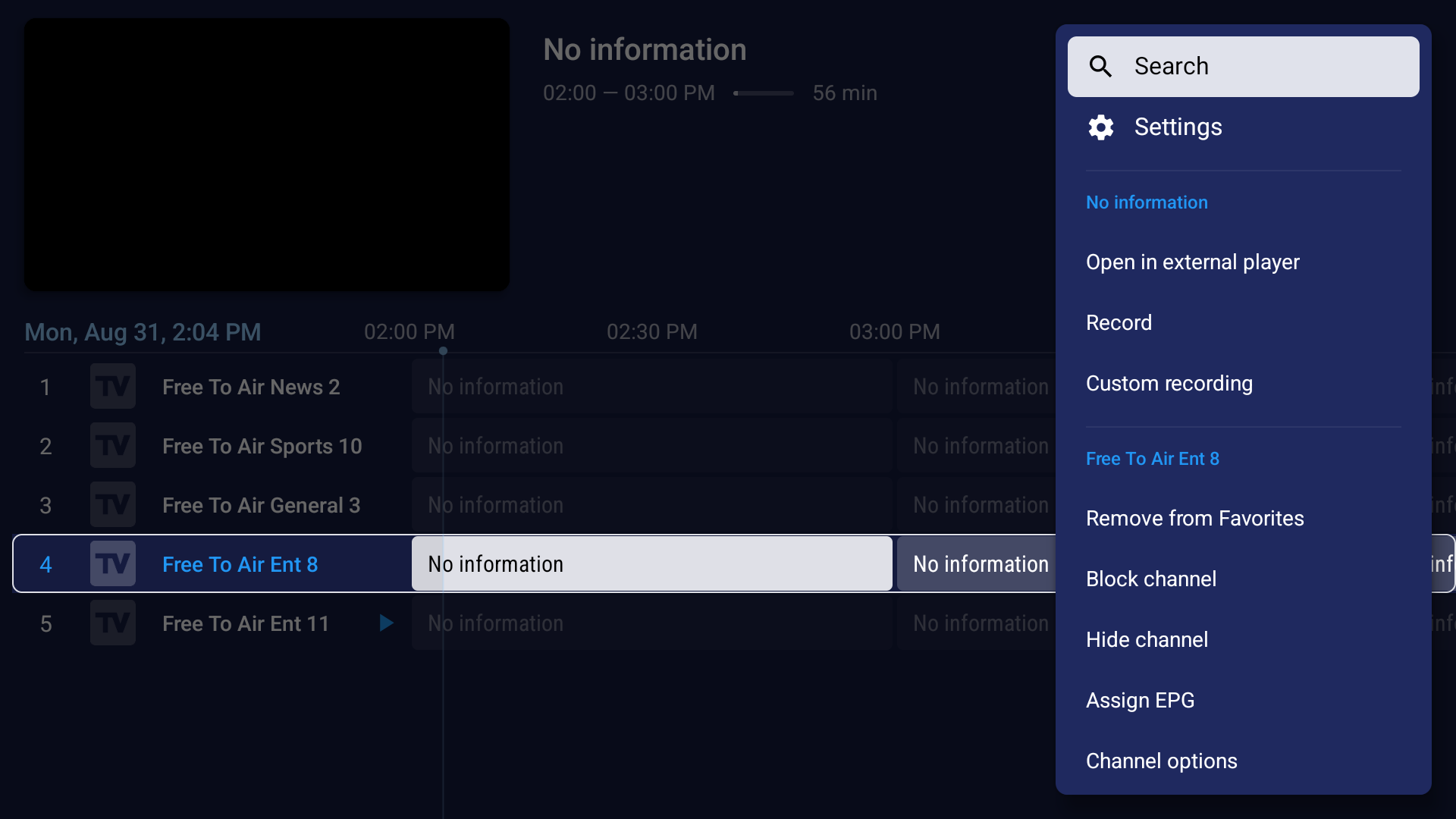
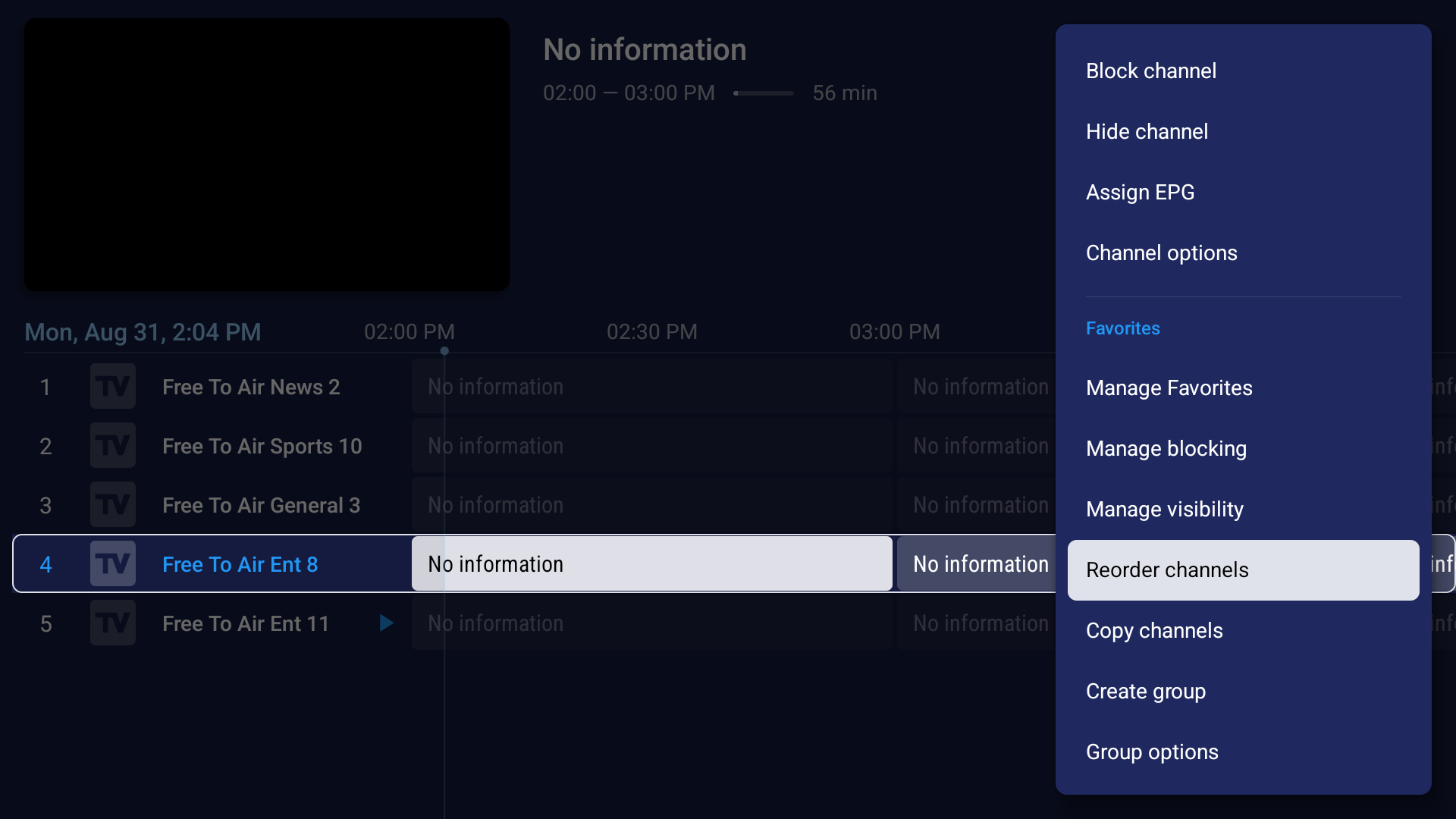
- Scroll down and select
Reorder channels.
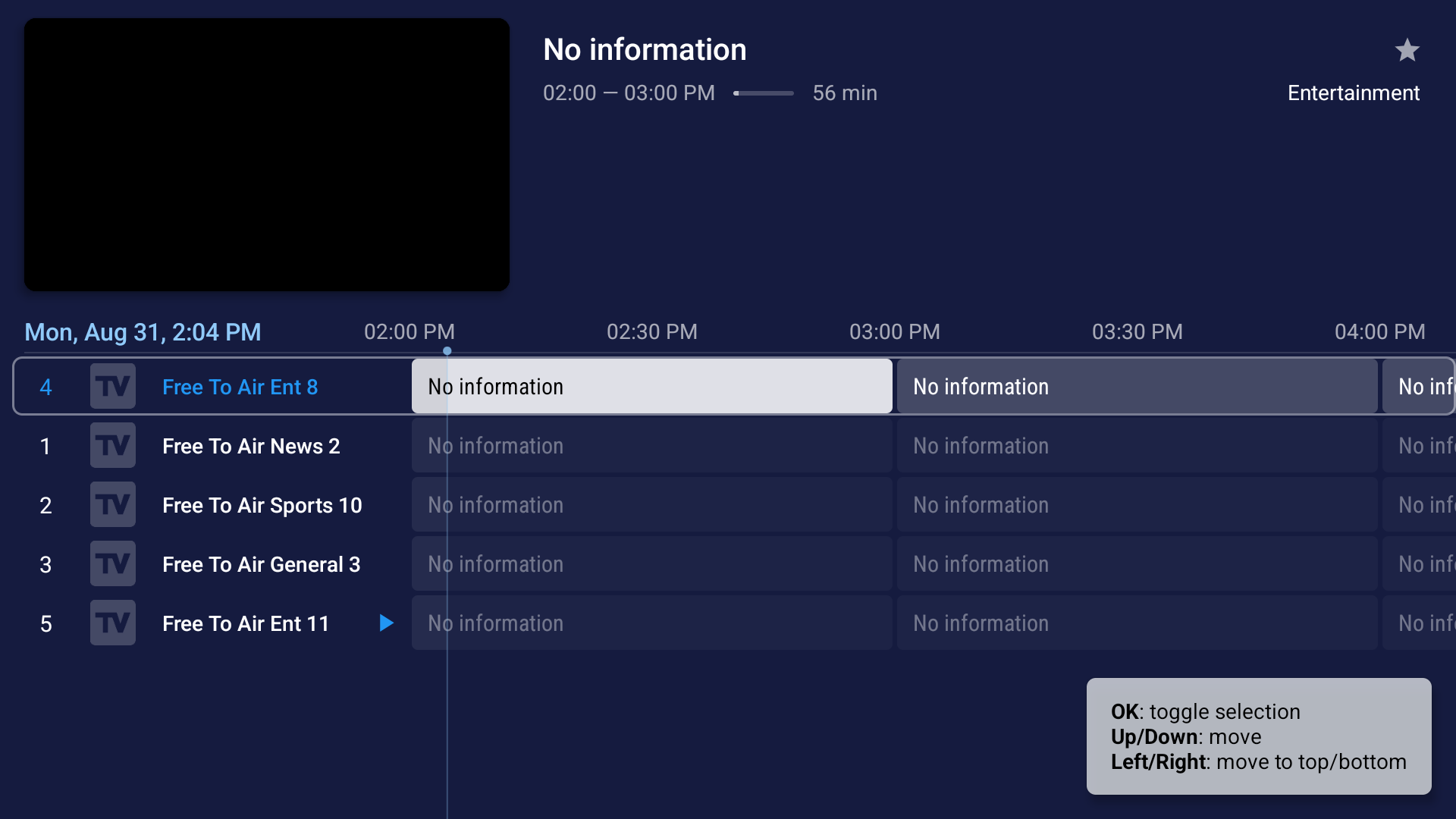
- Press
OK on the highlighted channel to select it (it will start pulsing or flashing).
- Use the
Up and Down remote arrows to move the channel to your preferred position.
- Press
OK again to drop the channel into its new place.
- Long-press the
Back button when finished.