Reorder Channel Group
- Go to the menu, select any group.
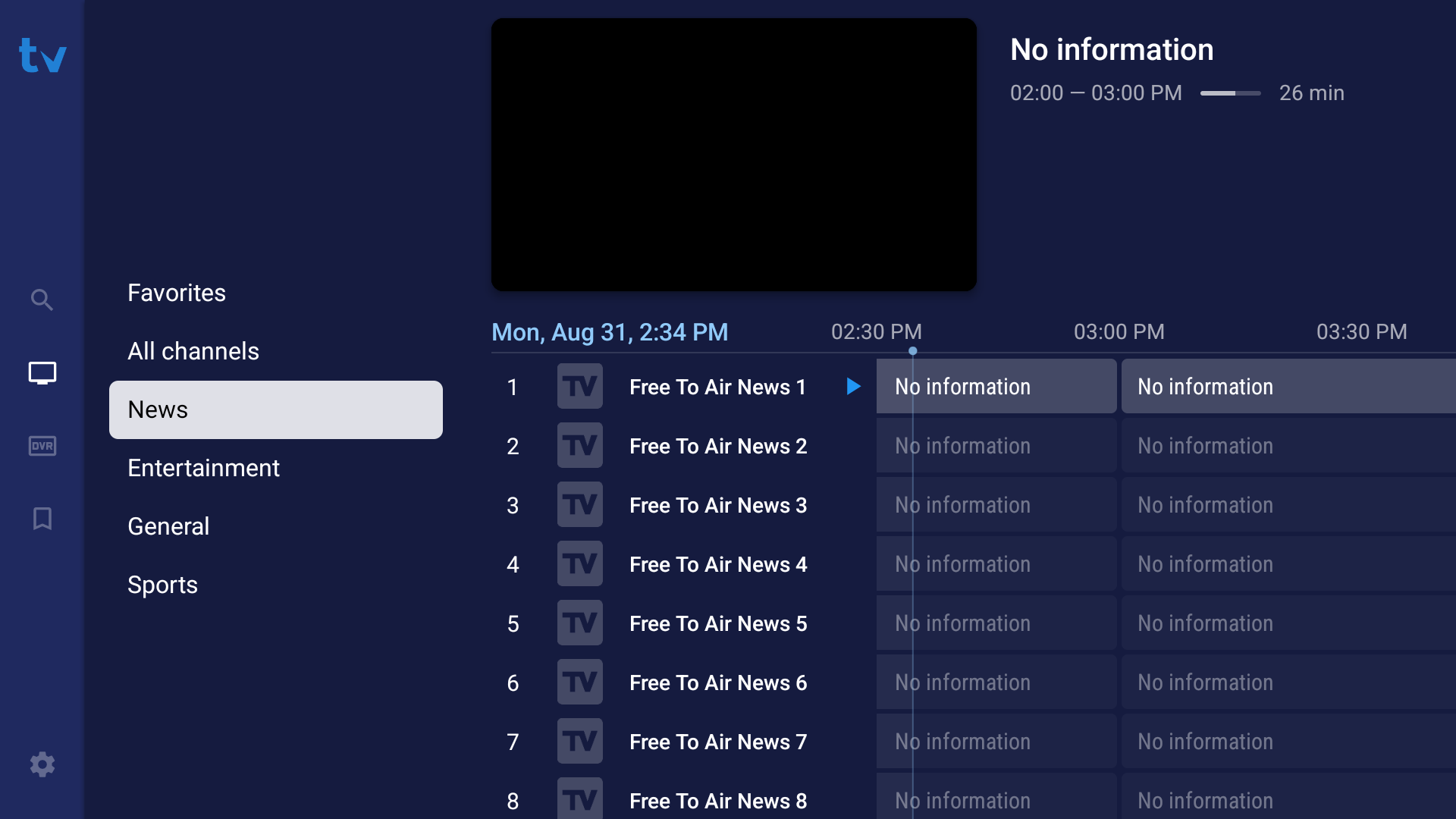
- Press and hold the
OK buttonon your remote control. Scroll down toManage groupsand press theOK button. - Select Reorder Groups
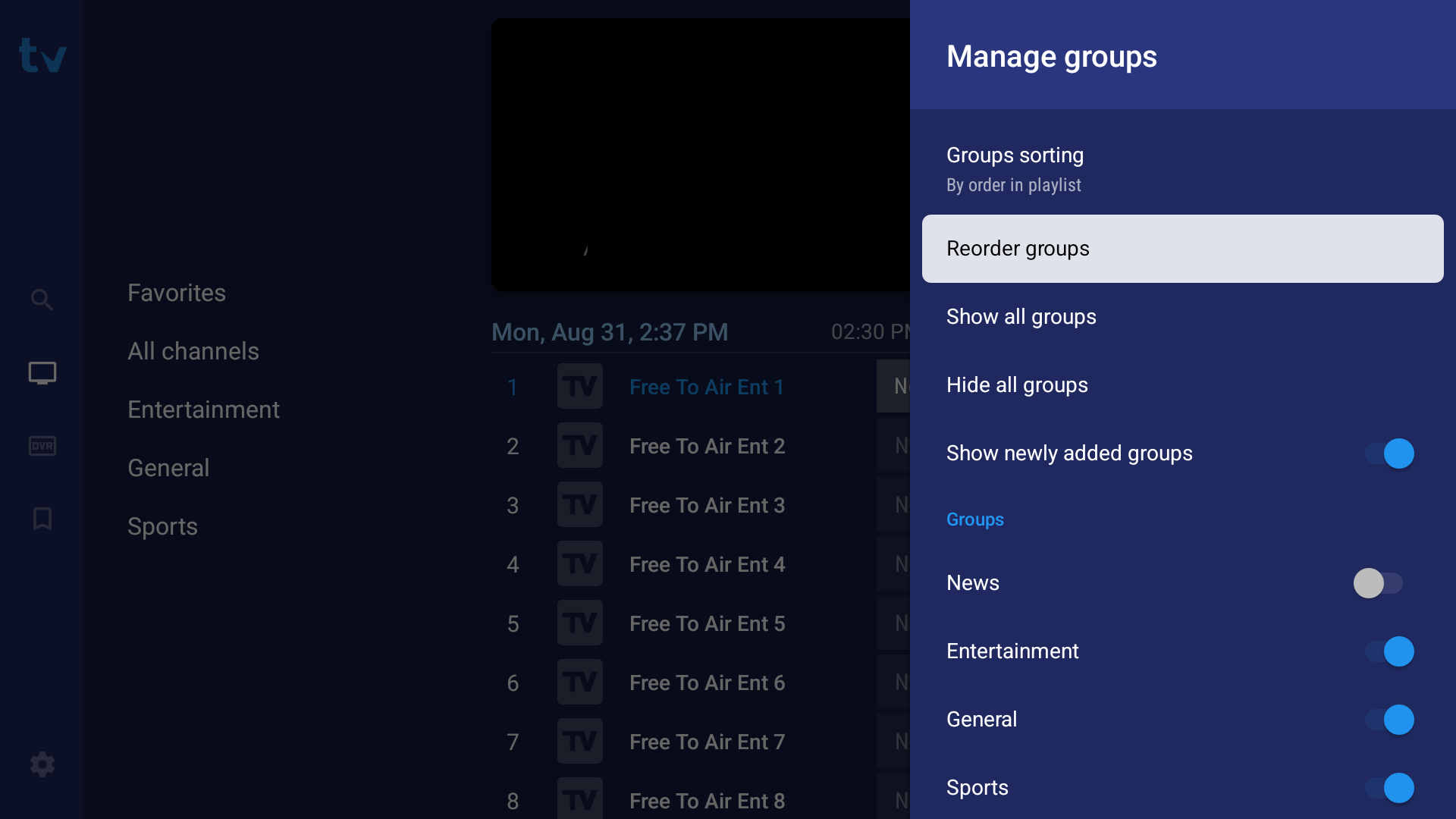
- Select the group you want to move and press the
OK buttonto move it. In this example, we will move Sports from the bottom to the top of the list.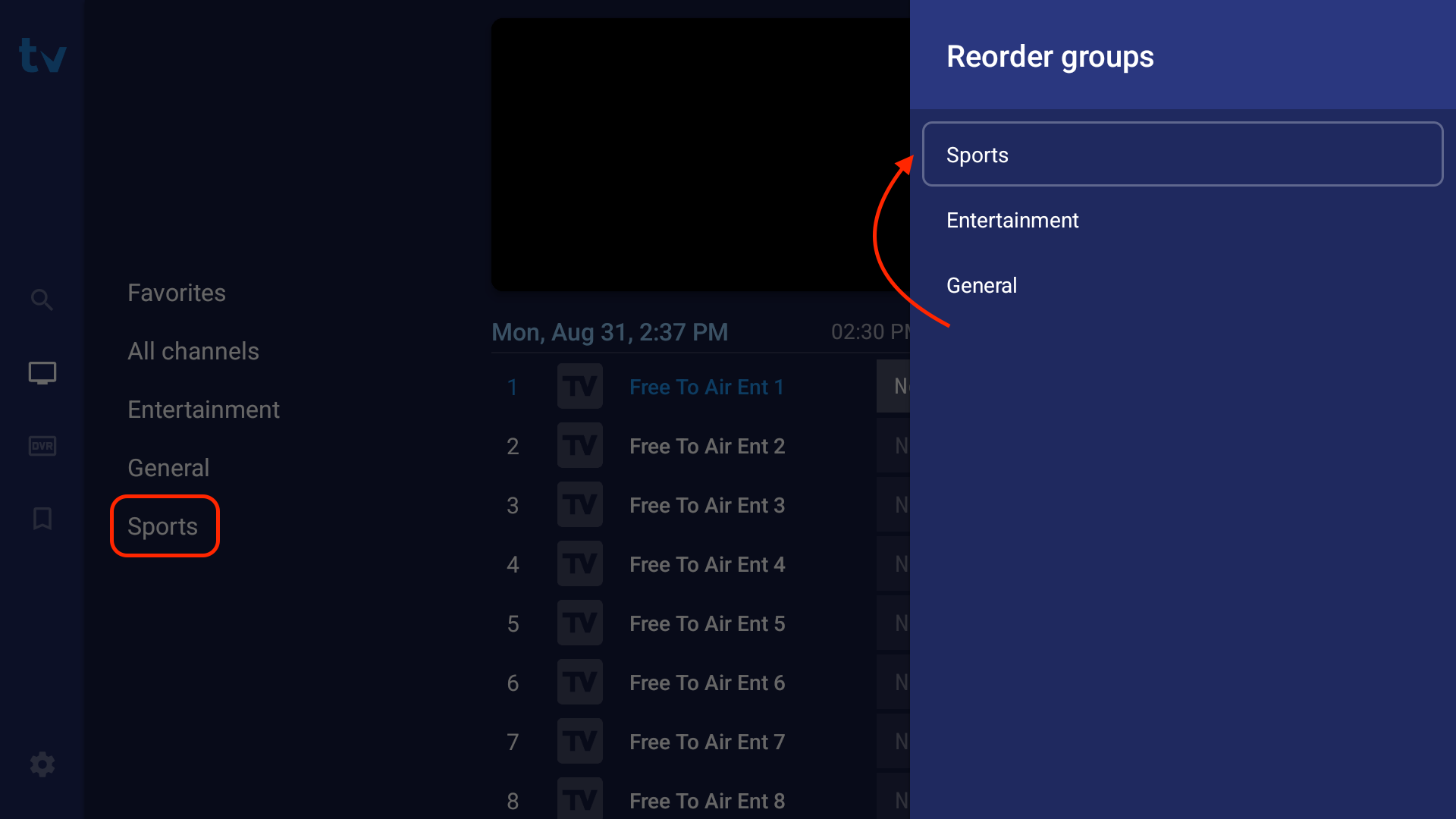
- Once you've moved the group the desired category, press the
OK button.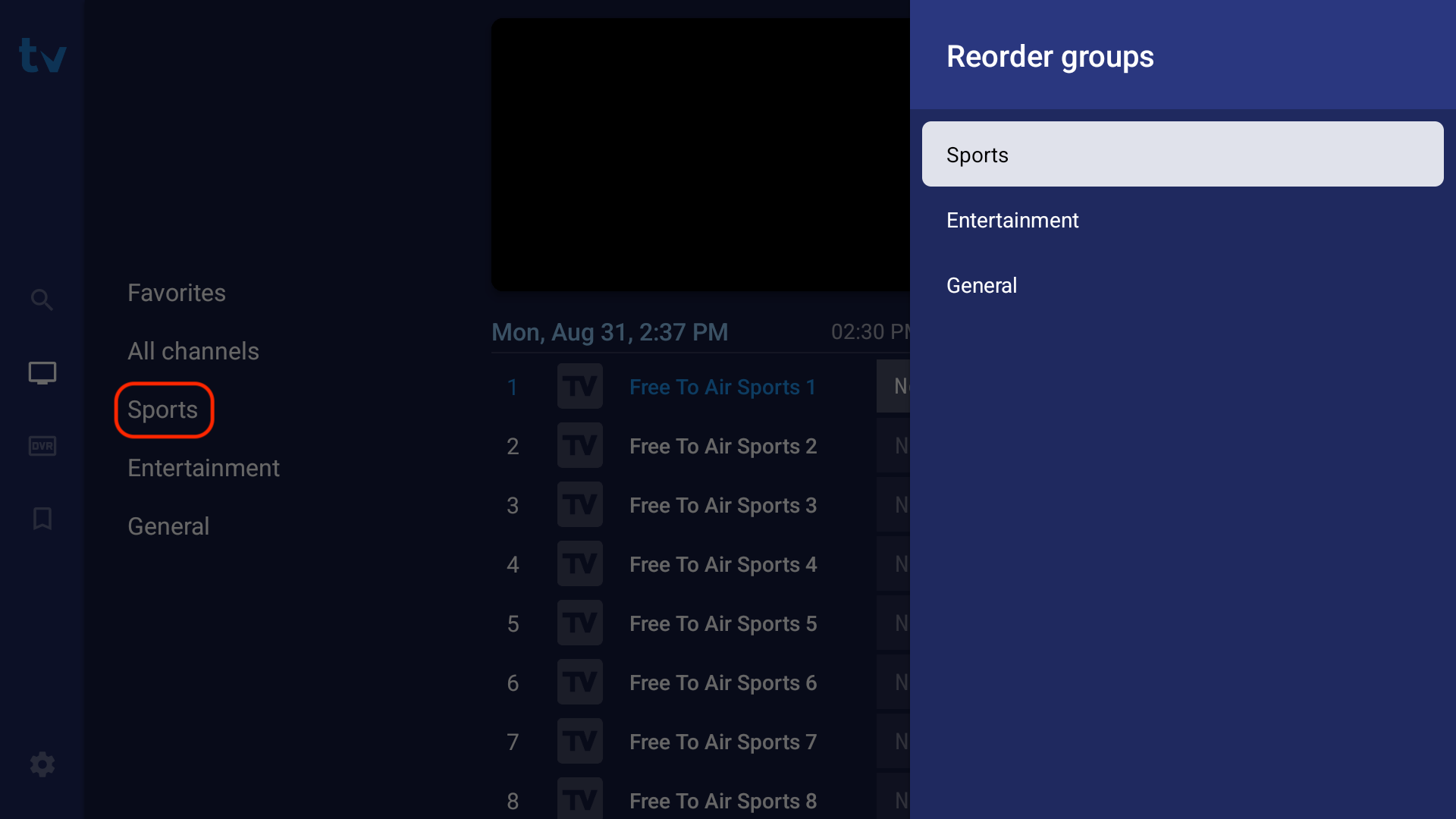
- This setting is auto saved so you can exit the menu now.